


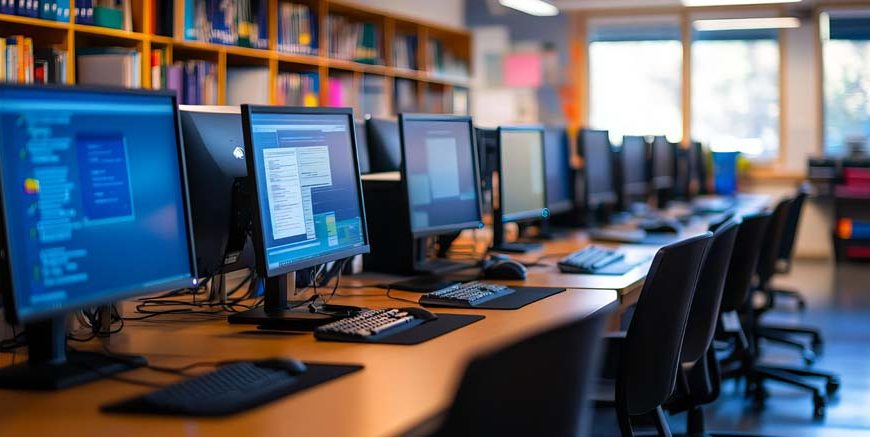
Have you noticed how a five-year-old can unlock a tablet, find their favourite cartoon, and skip the annoying adverts before you have even managed to pour your morning cup of tea? Children are incredibly intuitive when it comes to swiping brightly coloured glass screens.
However, there is a massive, fundamental difference between blindly tapping a glowing app icon and actually understanding the heavy machinery sitting quietly on the family desk. We need to drastically shift their perspective. Instead of just letting them consume digital videos all day, we need to turn them into curious little engineers who actively question how the plastic box actually works.
Why Basic Hardware Logic Matters
When you sit down at the kitchen table to tackle a basic computer GK question and answer session with a Class 1 student, you are obviously not trying to teach them advanced coding or heavy software engineering. You are simply giving proper, mechanical names to the physical objects they interact with every single day.
Building a solid foundation of computer general knowledge questions and answers develops crucial spatial awareness and logical reasoning. It helps a young child physically understand that a machine cannot actually think for itself; it strictly follows the physical instructions we give it through our fingers.
This active, mechanical questioning approach is exactly what drives the Heureka curriculum, pushing children to look completely behind the glass screen and grasp the brilliant physical mechanics of the modern digital world.
Read More – Parts Of A Computer For Kids
30 Essential Questions
Here is a comprehensive list of thirty straightforward questions, paired with logical, scientific answers, designed perfectly to help a young child understand the machinery running their favourite games.
- What exactly is a computer?
- Which physical part is known as the brain?
- What do we call the big glass screen we look at?
- What device do we use to type words and numbers?
- What is the longest button on the entire keyboard?
- What small device helps us point at things on the screen?
- Can a machine think completely on its own?
- What machine puts our digital drawings onto real paper?
- What is a laptop?
- What is the little blinking arrow on the screen called?
- Which key do you press to delete a spelling mistake?
- What do we use to listen to music without bothering anyone else?
- Which key acts like a giant full stop, telling the machine to go to the next line?
- What is a tablet?
- What does the little wheel on top of the mouse do?
- How do we turn the whole machine on?
- Where do the loud game sounds come from?
- What soft mat does the mouse sit on?
- What piece of equipment lets your grandparents see your face on a video call?
- What lets you talk back to them?
- Where do we keep our finished homework?
- What happens if you suddenly unplug a desktop machine from the wall?
- Can the machine ever get tired?
- Are there numbers on the keyboard?
- Is a mobile phone considered a computer?
- What happens when you press the Caps Lock key?
- What is the hard metal box that holds all the wires called?
- How many main buttons does a standard mouse have?
- What does a scanner do?
- What invisible web connects all the machines together?
It is a highly clever electronic machine. It cannot run on magic; it relies entirely on a constant flow of raw electricity to solve heavy maths problems, store big files, and play colourful games.
The Central Processing Unit, usually just called the CPU. Just like your human brain tells your physical hands to move, the CPU sends rapid electrical signals to tell the screen and the speakers exactly what to do.
It is called a monitor. It works exactly like the television in your living room, using thousands of microscopic, glowing coloured lights to instantly build the pictures and videos you see.
A keyboard. It is a wide, flat board covered in over a hundred different plastic buttons. When you press a letter, an electrical signal shoots down the wire to tell the CPU what you just typed.
The spacebar. It sits right at the very bottom. You hit it with your thumb to create a blank, empty space between two words so your sentences do not look completely jumbled up.
A mouse. When you slide this little plastic shell across your desk, a tiny red laser underneath it tracks the movement and perfectly moves the arrow on your screen at the exact same time.
Absolutely not. It might look incredibly smart, but it is basically just a very fast, obedient metal box. It cannot do a single thing unless a human being specifically presses a button to tell it what to do.
A printer. It connects to the CPU and acts like a brilliant robotic artist, spraying microscopic drops of wet, coloured ink onto a blank sheet of paper to recreate your drawing.
A laptop is a clever, portable machine. Engineers took the heavy CPU, the glass monitor, and the flat keyboard, squashed them all down into a thin case, and added a heavy battery so you can carry it around in a backpack.
It is called the cursor. It acts perfectly like your digital finger, showing you exactly where you are currently pointing before you decide to click a button.
The Backspace key. If you accidentally type the wrong letter, pressing this button acts like a magical rubber, instantly wiping out the very last letter you typed.
Headphones. They are basically two tiny, personal speakers that sit directly over your ears, trapping all the bouncing sound waves so nobody else in the room can hear the noise.
The Enter key. It is usually one of the biggest buttons on the right side of the board. You smack it when you finish a sentence and want to start a brand new paragraph underneath.
A tablet is a solid sheet of glass with a computer hidden directly behind it. It completely removes the need for a physical mouse or a plastic keyboard, letting you command the machine purely by tapping the glass with your warm fingers.
It is called the scroll wheel. If you are reading a very long story that does not fit on one single screen, rolling this little rubber wheel slowly pulls the hidden text up from the bottom so you can read it.
By firmly pressing the main power button. Pushing this button physically closes an internal circuit, allowing raw electricity to rush from the wall socket straight into the heavy metal brain.
The speakers. These boxes use strong magnets to rapidly vibrate the air inside the room. Those invisible, vibrating air waves travel straight into your ears so you can hear the loud explosions.
A mousepad. The tiny laser under the mouse sometimes gets confused by shiny wooden tables or glass desks. The soft, dull fabric of the pad gives the laser a perfect surface to track your movements smoothly.
A webcam. It is a tiny, digital eye that sits right at the top of the monitor, constantly recording your face and sending that video file across the internet.
A microphone. It is a small sensor that physically captures the sound of your voice and turns it into digital code so the machine can send your words across the world.
We save it securely inside a digital folder. Just like you put physical paper homework into a cardboard folder in your school bag, the machine groups your digital work into neat, named folders on its hard drive.
It instantly dies and turns completely black. Because it completely relies on a steady flow of wall power and has no internal battery, cutting the power forces it to shut down immediately, and you will lose any unsaved work.
It does not get sleepy like a human, but it can get incredibly hot. Pushing electricity through metal wires creates intense physical heat. If the internal cooling fans stop spinning, the heavy brain will overheat and completely freeze up.
Yes, there are. There is usually a long row of numbers sitting right across the top of the alphabet, and sometimes a whole block of them on the far right side, laid out perfectly like a calculator.
Yes, absolutely. A modern smartphone is just a highly advanced, incredibly tiny computer packed tightly into a metal shell that fits perfectly into your pocket.
It permanently locks the keyboard into shouting mode. Every single letter you type after hitting this button will appear on the screen as a massive, uppercase capital letter until you press it again.
The cabinet or tower. It is the heavy metal shield that stops dust, spilled water, and curious little fingers from touching the highly delicate, electrified circuit boards inside.
Two. It features a primary left button, which does almost all of the heavy selecting and clicking, and a secondary right button, which usually opens up secret hidden menus.
It does the exact opposite of a printer. You place a real physical drawing onto its glass bed, and a bright laser sweeps across the paper to turn your physical art into a digital file on the screen.
The internet. It is a massive, worldwide network of heavy underground cables and invisible radio waves that allows a machine in your bedroom to instantly talk to a machine sitting all the way in Australia.
Read More – GK Questions & Answers for Kids
Conclusion
When you finally strip away the shiny plastic casing and look at the raw, mechanical logic underneath, the digital world stops feeling like inexplicable magic. Getting a young child to confidently understand the physical relationship between a clicking mouse and a moving screen arrow completely changes how they view technology. They stop acting as passive consumers just staring blankly at a cartoon, and begin acting as confident, logical creators who actively control the machinery in front of them.
It is genuinely thought-provoking to realise that teaching a six-year-old the basic mechanics of a keyboard today is the very first foundational step in raising the brilliant software engineers and problem solvers of tomorrow. To uncover more fantastic ways to fuel your child’s daily discoveries, read the latest articles on the EuroKids Blog and start their next great educational adventure through EuroKids Preschool Admission today.
FAQs
Is it safe for a child to touch the CPU box?
Yes, the heavy metal outer casing is completely safe to touch. However, they should never poke metal pens or wet fingers into the cooling vents or the plug sockets at the back.
How far should a child sit from the monitor?
To protect their developing eyesight from harsh glare, they should ideally sit about an arm’s length away from the glowing screen, keeping the monitor directly at their natural eye level.
Why does the machine make a loud humming noise?
That sound is perfectly normal. It is just the fast-spinning plastic cooling fans working incredibly hard to blow the hot air out of the metal box so the internal brain does not overheat and melt.